
Intune Device Management (MDM)Services
What is Microsoft Intune?
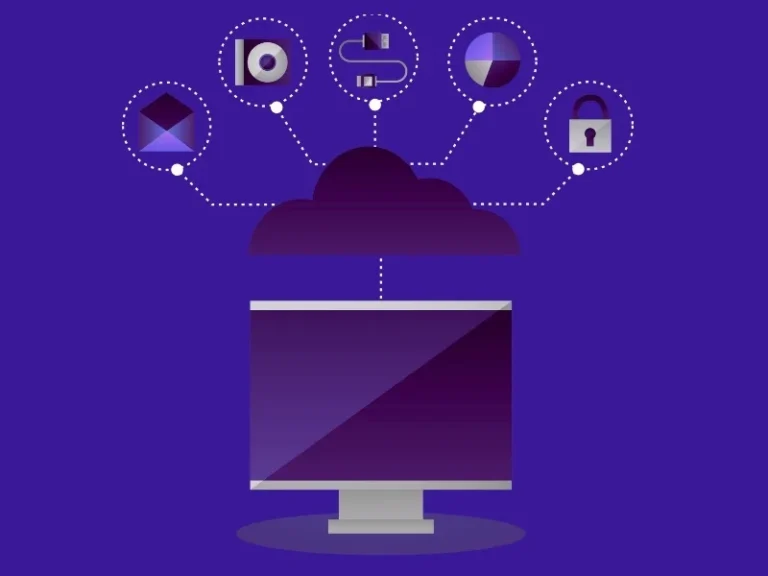
Microsoft Intune device management is a cloud-based endpoint management solution that allows organizations to control how devices access corporate data. It helps IT teams in controlling smart phones, tablets, laptops and desktops in a safe manner.
Intune helps businesses to:
- Register business and individual devices.
- Using security settings away.
- Provide access control to business applications.
- Secure company confidential information.
- Impose compliance procedures.
It is a major component of Microsoft ecosystem and is helpful in a contemporary IT working environment.
How Intune Fits Within Microsoft 365
- Protect email and documents
- Secure Microsoft Teams teamwork.
- Control device access to company resources
- Enforce company-wide compliance standards
This is what renders Intune MDM solution an effective part of the modern workplace strategy.
Connection to Microsoft Endpoint Manager
Microsoft Endpoint Manager includes Microsoft Intune as one of its fundamental parts. Endpoint Manager is a combination of Intune and configuration management tools, which offer a single source of managing devices.
With this integration, businesses are able to manage:
- Cloud-based devices
- On-premise devices
- Hybrid work environments
This unified approach leads to an easy monitoring of devices and minimizes IT intricacy.

Remote and Hybrid Workforce Challenges
This rise of remote and hybrid work has introduced new risks:
- Employees who get access to information from unsecured networks.
- Use of personal devices for business tasks
- Increased cyber threats
- Difficulty in monitoring device compliance
An Intune MDM solution helps businesses address these challenges by applying consistent security rules across all devices, regardless of location.
Core Features of Microsoft Intune
Device Enrollment & Management
Microsoft Intune device management enables IT departments to enroll the devices in a short time period and manage them remotely. Key capabilities include:
- Automated device setup
- Remote updates on configuration.
- Monitoring and reporting of devices.
- Lost or stolen device remote wipe.
Mobile Application Management (MAM)
Intune can be used to manage mobile applications without needing full device control. Businesses can:
- Secure company apps on personal devices
- Limit copy-paste between apps
- Prevent unauthorized data sharing
- Remove corporate data without deleting personal data
Security & Compliance policies
Intune compliance policies enable the businesses to establish security levels on all devices. Examples include:
- Use of mandatory passwords.
- Enforcement of device encryption.
- OS version control
- Jailbreak or root detection
Integration with Azure Active Directory
Intune integrates directly with Azure Active Directory (Azure AD) for identity-based access control. This enables:
- Conditional access policies
- Multi-factor authentication
- Secure user authentication
- Role based access management
Common Business Problems and Intune-Based Solutions
Modern organizations face infrastructure and operational limitations that hinder growth and productivity. These issues are specifically handled by our cloud migration solutions:
Problem 1: Lack of visibility into devices
Companies find it difficult to monitor every device connected to the company.
Solution:
The Microsoft Intune device management offers a centralized endpoint visibility and reporting.
Problem 2: Data Leakage Risks
Employees may unintentionally share sensitive information.
Solution:
The Intune MDM solution implements the policies of app protection and data loss prevention rules.
Problem 3: Compliance Violation.
Organizations should be able to match industry and regulatory standards.
Solution:
Intune compliance policies ensure devices meet required security benchmarks before accessing corporate data.
Problem 4: Manual Configuration of devices.
Conventional IT systems involve physical device management.
Solution:
Intunes Microsoft is also able to provide remote provision and enroll devices automatically.
Microsoft Intune vs Traditional Device Management Solutions
Microsoft Intune
Cloud-based management
Remote device enrollment
Real-time compliance monitoring
Scalable for hybrid workforce
Integrated with Microsoft 365
Traditional Device Management
On-premise infrastructure required
Manual device setup
Limited monitoring capabilities
Difficult to scale
Separate security systems

Benefits of Choosing M365 Enterprise Hub forIntune Implementation
- Expert knowledge for managing Microsoft Intune device management
- Tailored Intune compliance policies as per your business needs
- End-to-end integration with Microsoft 365 and Azure AD
- Systematic deployment plan
- Minimal disruption during migration
- Continuous monitoring and tuning
- Scalable solutions for growing businesses
Protect Your Devices with Intunes Microsoft
FAQ
Microsoft Intune is a cloud-based endpoint management solution that enables you to manage devices, apps, and access securely under Intunes Microsoft. It is based on the principle of enforcing policies from the cloud to enrolled devices so that we can manage security, compliances and the use of apps on remote devices.
With M365Enterprise, we can also have Intunes Microsoft (Microsoft Intune) as part of the suite providing a unified endpoint management, security policies and integration with Microsoft 365 apps for smooth enterprise capabilities.
With Intunes Microsoft, we’re able to control everything from Windows PCs and macOS machines to iOS/iPadOS devices and Android phones and tablets, all in that one consolidated interface.
Yes, it can be argued that Intunes Microsoft (Microsoft Intune) is quite appropriate for SMEs since it offers scalable and cost-effective management of devices and apps without requiring extensive on-prem infrastructure, so it’s an excellent choice for small and medium business that are on the up.
Intunes Microsoft (Microsoft Intune) lets you manage mobile device management (MDM) and mobile application management (MAM) with security, policy enforcement, remote wipe, app deployment, and compliance reporting—all from the cloud.
Intunes Microsoft enhances security by enforcing conditional access, device compliance policies, encryption, remote data wipe to ensure only secure, compliant devices tap company resources.