
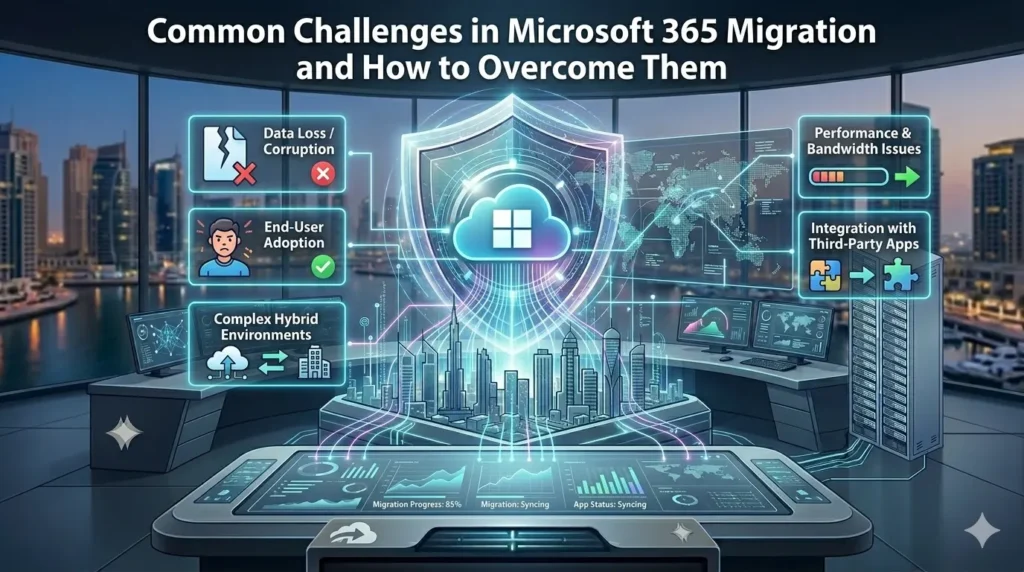
Relocating your business to Microsoft 365 is one of the most brilliant ideas that you can make in terms of productivity in the long run. But let’s be honest – the path to getting there isn’t always smooth. Whether you’re a small business or a mid-sized company, Microsoft 365 migration can offer you headaches. Data gets lost, deadlines get stretched, users get frustrated and IT departments are often seen putting out fires rather than making progress.
This is the process that we have worked with numerous businesses, and the challenges are exceptionally similar. The good news? Every one of them can be solved, should you be aware of what you need to look at. Are you struggling with the move to the cloud? Our Microsoft 365 migration services take the complexity out of the process — so your business keeps running without a hitch.
This guide will take you through the most common issues that businesses can face during a Microsoft 365 migration and, more importantly, how to overcome them without losing your mind or your data.
Lack of a clear migration plan.
That is where the majority of migrations fail even before they start. Organizations don’t have a roadmap to the process and things do not go well.
A migration without a plan means:
- No clarity on what data needs to move and what can be archived
- No specific timeframe or milestones.
- No designated duties within teams.
- No fallback if something breaks
How to overcome it: To begin with, a complete audit of your current environment is required. Understand precisely what you are working with – emails, files, calendars, contacts, shared drives and applications. Starting there, develop a gradual migration strategy with attainable schedules. Divide into phases: assessment, preparation, pilot migration, full migration and post-migration support.
An effective plan also has a roll back plan. No one is willing to use it, yet having one in place will mean that you will not be scrambling in the event of an unexpected event occurring in the middle of a migration.
Underestimating the Volume of Data.
One of the most common surprises during Microsoft 365 migration is just how much data a business has collected over the years. Old emails from 2014, duplicate files, forgotten shared folders – it all adds up.
When the data volume is underestimated, it leads to:
- Migration tools timing out or crashing.
- Incomplete data transfers
- Long periods of downtime that interferes with business processes.
- Problems with storage quota in the new environment.
How to overcome it: Conduct a data analysis far in advance of the commencement of the migration. Determine data that can be cleaned, data archived or deleted. It does not all have to move just the relevant data which is actively used. This minimizes the migration tools load and the entire process is cleaner.
Additionally, speak with your Microsoft 365 migration experts about storage limits and licensing. You don’t want to hit a wall midway because you ran out of mailbox storage or Onedrive quota.
Identity and Directory Sync Issues
Microsoft 365 is based upon Azure Active Directory (now called Microsoft Entra ID). Unless you have configured your user accounts, permissions and groups to be in sync with each other before the migration, then the users will not be able to access what they need after the migration.
Common issues include:
- Multiple accounts being opened.
- Users losing access to shared resources
- Password sync failures causing login errors
- Permission structures not carrying over correctly
How to overcome it: Before transferring any data, ensure that your directory sync is configured and tested. If you’re moving from an on-premises Active Directory, it is advisable to use Azure AD Connect to synchronize identities properly. Validate that every user accounts maps properly and that group policies and permissions are duly displayed in the new environment.
Don’t skip the testing here. Run a pilot with a small number of users initially, check access, and resolve any identity problems before you start the whole organization.
Email Migration Problems
A majority of business communication is carried over email and any failure in this communication is immediately felt. The process of setting up and migrating email to Microsoft 365 is more likely to identify issues that were under the radar of the previous system.
Typical email migration challenges:
- Emails not received or diverted to a wrong mailbox.
- Calendar appointments and shared calendars not syncing properly
- Large mailboxes which are too slow to migrate.
- MX record changes causing delivery delays
How to overcome it: Design your MX record cutover carefully. This is the change that redirects incoming email to Microsoft 365, and a misplacement of the change can lead to the loss or delay of emails.
For large mailboxes, consider a staged migration approach – move a portion of the mailbox initially, and then the remaining part later, during off-peak hours. Also, make communication with users beforehand, so they do not get caught in the middle of any temporary inconveniences.
Send a test email flow before you flip the switch for the entire organization.
Application and Third-Party Integration Compatibility.
Most businesses use third-party tools that integrate with their current email or file system – CRM software, project management sites, accounting programs and so on. These integrations may not work or fail during a Microsoft 365 migration.
What usually goes amiss:
- APIs that are connected to the old system stop working.
- Single sign-on (SSO) configurations need to be rebuilt
- Automation Workflows are interrupted.
- Legacy applications don’t support modern authentication.
How to overcome it: Have a list of all the third-party applications that your business uses and ensure that they are compatible with Microsoft 365 before the migration process starts. The integration of Microsoft 365 is already supported by most modern tools; however, legacy software may require updates or replacements.
Work with your vendors early. Don’t wait until the migration is done to test these connections – by then, there will already be disruptions affecting your team. Building integration testing to your migration checklist.
User Adoption and Training Gaps
Even a technically flawless migration may seem a failure to users who are not aware of how to use the new environment. Microsoft 365 is rich with features such as Teams, SharePoint, OneDrive, Outlook among others and without onboarding, people will revert to old habits or simply not use the new tools.
Signs of poor user adoption:
- Employees still sending files via personal email
- Teams not used for collaboration.
- SharePoint being disregarded by using local drives.
- IT support tickets flooding in after go-live
How to overcome it: Training is not an option but essential. Focus on the tools that your team will actually use on their day-to-day activities. Role specific and short training programs are more effective than long and general training programs.
Create simple reference guides, short video tutorials and a go-to contact person to ask. Find some of the champions in the organization – the ones who are eager to learn about the new tools and can assist their coworkers in getting accustomed to it.
Change management is as important as technical execution. People know the reason behind why the change is occurring and what it means to them, and what’s in it for them.
Security and Compliance Concerns.
Relocating data to the cloud evokes valid security concerns. Industries such as healthcare, finance, and legal have stringent compliance requirements that need to be upheld during and after the migration.
Common security challenges:
- Data being left exposed during the transfer window.
- Compliance policies configured in the new environment.
- Multi-factor authentication (MFA) is not enabled initially from day one
- Admin accounts having excessive permissions
How to overcome it: Security setup should start before data transfer, not after. Set up your Microsoft 365 security baseline at the earliest opportunity possible – enable MFA on all users, enable conditional access policies, and assign the role of an administrator with the principle of least privilege.
For regulated industries, work closely with your compliance team to map your existing requirements to the tools available in Microsoft 365 such as Purview to the information governance and data loss prevention policy.
Don’t treat security as an afterthought. A migration is an excellent chance to enhance your security posture, not just replicate the old setup in a new home.
Business Disruption and Downtime.
Not a single business can afford to go dark – even over a few hours. Yet, mismanaged Microsoft 365 migrations can sometimes lead to prolonged downtime that impacts productivity and customer service.
How to overcome it: Plan migrations when the load on the system is minimal, usually at night or on weekends. Break the migration into phases so only a part of the organization is affected at any given time.
Communicate clearly with staff about what to expect and when. A 30-minute scheduled period during which email is slow is not similar to a two-hour outage that occurs unexpectedly.
Have your Microsoft 365 migration experts on standby during cutover periods. The quick reaction to any problems is what prevents even the slightest hiccup from becoming a major incident.
Post-Migration Issues Going Unresolved
There are a lot of teams that sigh with relief after the data is transferred and believe that the project is complete. However, it is during the post-migration phase that many silent issues start to surface – permissions issues, missing files, sync errors, and performance issues, which only begin to be noticed under real-world conditions.
How to overcome it: Establish an official post-migration support period. This could be two to four weeks during which your migration team or IT support actively monitors the environment and is able to respond swiftly to issues.
Gather user feedback frequently and regularly. They are the ones who directly using the system and their reports will get any problems noticed quicker than any system monitoring tool. Keep a simple issue tracker so nothing slips through the cracks.
Why Choose M365 Enterprise Hub
Not every IT company truly understands Microsoft 365 — and that difference shows when something goes wrong mid-migration. At M365 Enterprise Hub, Microsoft 365 is all we do. We’re a Certified Microsoft Partner with a team that has spent years working exclusively within the Microsoft ecosystem. That focus means we’re not learning on your project. We already know where the pitfalls are, what breaks during an email cutover, how to handle identity sync issues before they become user complaints, and how to configure your security settings the right way from day one. When you work with us, you’re not getting a general IT firm that occasionally handles migrations — you’re getting a team that lives and breathes Microsoft 365 every single day.
What we bring to every Microsoft 365 migration project is a complete, end-to-end approach. From the first assessment of your current environment to deployment, user training, and post-migration support — we handle it all. Our Microsoft 365 migration services are built around your business, not a cookie-cutter checklist. We take the time to understand your workflows, your compliance needs, and your team before a single byte of data moves. Businesses trust us because we don’t just deliver a technically successful migration — we make sure your people are comfortable, your systems are secure, and your Microsoft 365 environment is set up to actually grow with you. That’s the M365 Enterprise Hub difference.
Conclusion
Microsoft 365 is an effective platform, and the benefits which include collaboration, security, flexibility, and scalability are worth the effort of moving to it. However, the migration process itself should be carefully planned, technologically expertise, and strong communication across your organization.
The challenges we’ve covered here are not an excuse to not migrate. They are the reasons to do it right. All of these challenges can be overcome with the right strategy toward Microsoft 365 data migration, the right tools, and the right team behind your back.
Whether you are considering moving to Microsoft 365 or you are already mid-migration and you are encountering issues, there is a way forward, and it’s simple to begin by having a clear plan and the appropriate support.
Ready to Make the Move?
Don’t let migration challenges slow your business down. Our team focuses on end-to-end Microsoft 365 setup and migration – everything, including discovery and go-live, so you can continue to focus on running your business. Contact us today and we can discuss what a well-planned smooth migration would look like in the case of your organization.