
Microsoft Teams sprawl is the uncontrolled accumulation of teams, channels, files and guest accounts that builds up when anyone can create a team and nothing is ever archived. The symptoms are recognizable in any affected tenant: duplicate teams for the same project, dozens of teams with a single member, external guests nobody remembers inviting, and files scattered so widely that search returns five versions of the same document.
Sprawl is not user misbehaviour. It is the default outcome of Teams’ own design — and that’s what makes it fixable.
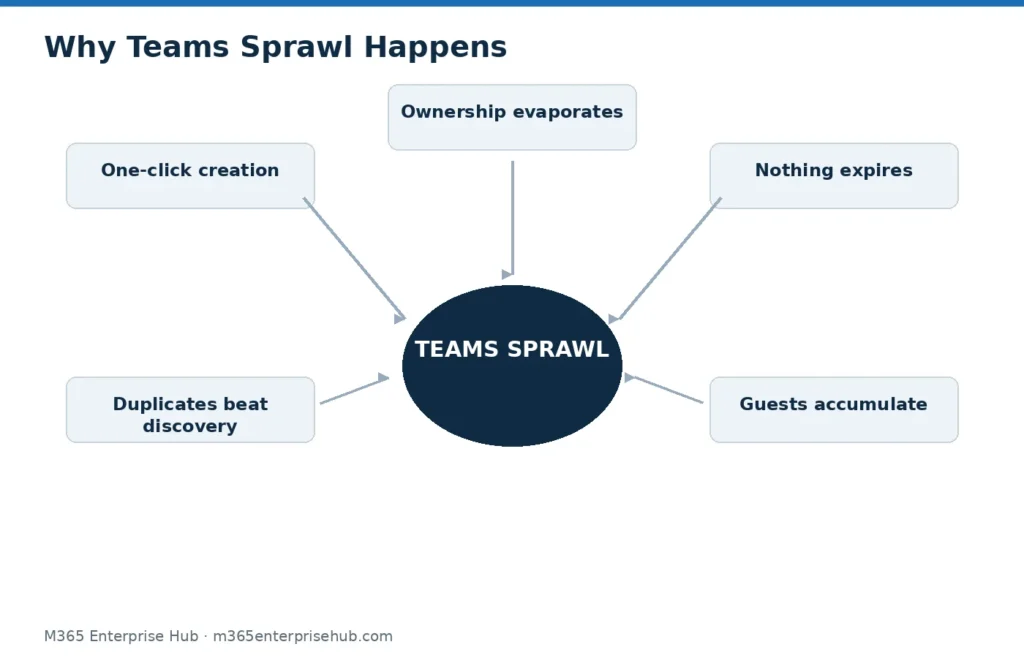
Why Sprawl Happens
1. Team creation is one click, and it creates more than a team. Every new team silently provisions a Microsoft 365 Group, a SharePoint site and a shared mailbox. Users creating a “quick space for one discussion” are creating permanent infrastructure without knowing it.
2. Nothing expires by default. A project ends; its team doesn’t. Without expiration policies, every team ever created is still there, still holding data, still holding guests.
3. Duplicates are easier than discovery. When users can’t find whether a team already exists — because names are inconsistent — they create another one. “Marketing”, “Marketing Team” and “MKT-2025” coexist, each with a fraction of the files.
4. Guests accumulate. A supplier is invited for one procurement cycle and remains a member for years. Guest access is granted in seconds and reviewed, in most tenants, never.
5. Ownership evaporates. Team owners change roles or leave the company. An ownerless team can’t be renewed, cleaned up, or answered for — it just persists.
Why Sprawl Is a Security and Compliance Problem, Not a Tidiness Problem
Every stale team is a standing data exposure. Files shared with a guest in 2024 are still accessible to that guest today unless someone removed them. For UAE organizations subject to the Personal Data Protection Law (Federal Decree-Law No. 45 of 2021), unaccounted-for personal data in orphaned teams is exactly the kind of finding an audit surfaces.
Sprawl also degrades the platform’s value: search gets worse as duplicates multiply, users lose trust in finding the current version, and the organization drifts back to email attachments and shadow tools — the problems Teams was bought to solve.
How to Fix Sprawl (In Order)
- Inventory first. Export all teams with owners, last-activity date, and guest lists. The typical result — a large share of teams inactive for 90+ days — is the business case for everything that follows.
- Assign ownership. Every team gets a minimum of two owners; ownerless teams get claimed or archived.
- Archive the dead. Inactive teams are archived (read-only, data preserved), not deleted — retention questions come before deletion.
- Turn on expiration. Inactive teams now require active renewal by their owners. This single policy prevents re-accumulation.
- Fix creation going forward. Restricted or request-based creation, a naming convention, and classification labels — the five decisions covered in our Teams governance starter guide.
- Schedule guest reviews. Quarterly, owner-confirmed, with automatic removal on non-response.
Cleanup without the policy layer is temporary — the tenant re-sprawls within a year. Policy without cleanup governs a mess. Do both, in that order. If sprawl extends beyond Teams into SharePoint sites and unused groups tenant-wide, that’s a tenant governance and optimization engagement rather than a Teams-only fix.
Frequently Asked Questions
How do I know if we have Teams sprawl?
Run the inventory: if you can’t state how many teams exist, how many are active, and who the external guests are, you have sprawl by definition. The count usually surprises people.
Does archiving a team delete its data?
No. Archiving makes the team read-only and preserves its conversations and files. Deletion is a separate action governed by retention policy — configure retention before deleting anything.
Will restricting team creation frustrate users?
Only if there’s no request path. A lightweight approval flow that provisions a correctly named, correctly classified team within the hour keeps users faster than self-service chaos did.
Is sprawl a reason to leave Microsoft Teams?
No — sprawl reproduces on any collaboration platform that allows self-service creation without lifecycle rules. The fix is governance, and Microsoft 365 includes the controls to do it. The full approach is described in our Microsoft Teams Governance & Adoption services.